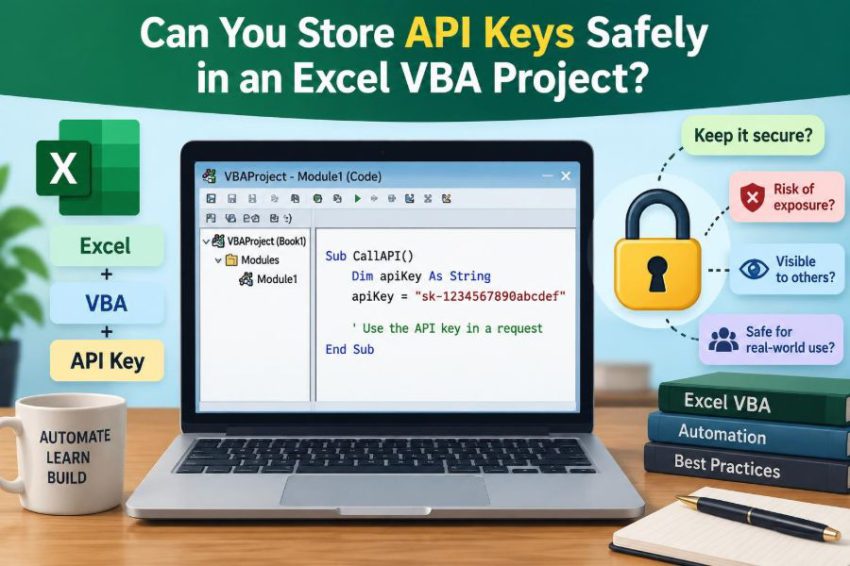

An analyst builds a useful Excel workbook that downloads exchange rates, sends approved rows to a business system, or asks an AI service to classify support notes. It works perfectly on their laptop. Then comes the tempting final step: paste the API key into a VBA module and share the file.
At first, this can feel practical. The key is not visible on a worksheet, the code is password-protected, and colleagues only need to click a button. But an API key is not ordinary configuration data. It is a credential that may let someone use a service as your account.
That difference matters when a workbook is emailed, placed in a shared drive, synchronized to cloud storage, copied into backups, or opened by people outside the original team. VBA can automate API calls very effectively, but it is not a secure vault.
The useful question is therefore not simply whether a key can be hidden in a macro. It is what level of exposure is acceptable, who could recover the credential, and whether the workbook should possess the credential at all. 🔐
🧭 1. The short answer
No method inside a distributed Excel VBA project makes a long-lived API key truly safe from a determined user who can open and run the workbook. You can reduce accidental exposure, but client-side secrecy has a hard limit.
If Excel can obtain the usable key in order to call an API, a sufficiently capable person using that Excel environment can usually obtain it too. They may inspect code, memory, files, network traffic, or the process that supplies the secret.
The strongest general design is to keep valuable credentials on a server you control and let VBA call a restricted intermediary service instead.
🔑 2. What an API key actually represents
An API key is a credential sent with a request so a service can identify an application, account, or project. Depending on the provider, it may authorize data access, record creation, file operations, paid usage, or administrative actions.
Some keys identify an application but grant little authority. Others are effectively passwords. Treat the key according to what it can do, not according to the friendly label attached to it.
A leaked key can cause costs, expose data, create fraudulent records, or trigger service limits. The impact is determined by its permissions and the API’s controls.
📦 3. Why an Excel workbook is a risky container
An .xlsm or .xlsb file is designed to be moved, copied, edited, and shared. Those features are useful for collaboration, but they are the opposite of controlled secret storage.
A workbook may exist in email attachments, Teams or SharePoint libraries, cloud-sync folders, temporary files, version histories, backup archives, and local Downloads folders. Every additional copy expands the places from which a secret might be recovered.
Even a workbook that begins as an internal tool can be forwarded years later without the original author’s awareness.
🧩 4. Where developers commonly put keys
VBA projects offer several convenient-looking places to store a value. None should automatically be treated as secure simply because users do not see it immediately.
- A string literal in a standard module or class module.
- A named range, hidden worksheet, custom document property, or cell comment.
- An external text, INI, JSON, or configuration file beside the workbook.
- A compiled add-in such as
.xlamor an exported VBA component. - A Windows environment variable or a value retrieved from the current user’s profile.
These choices differ in convenience and exposure, but they do not create a strong security boundary for a shared VBA solution.
🕵️ 5. Hard-coded strings are the easiest case
A key embedded directly in source code is vulnerable to anyone who can view or export the project. It is also vulnerable to accidental disclosure through screenshots, copied modules, source-control commits, debugging output, or support requests.
For example, this is convenient but unsuitable for a shared production workbook:
Const ApiKey As String = "secret-value-here"A hard-coded key also makes rotation painful. Every replacement requires editing, redistributing, and retiring copies of the workbook.
🔒 6. VBA project passwords are not secret management
VBA allows a developer to lock a project for viewing and assign a password. This can discourage casual browsing and help prevent accidental edits. It should not be relied on to protect a valuable credential.
The protection is not designed as a modern, high-assurance secret-storage system. Tools and techniques exist to bypass, remove, or work around workbook and project protections, particularly when an attacker has the file.
Use project locking for maintenance control, not as evidence that a key is safely stored.
🎭 7. Hiding a sheet does not hide a secret
Very hidden worksheets, hidden names, custom properties, and obscure cell locations may keep a value out of normal view. That is obscurity, not access control.
Anyone with enough familiarity with Excel can inspect workbook structures, unhide content, examine names, or extract package contents. A macro can also read the value, which means the workbook contains a path to it.
Hidden storage may be acceptable for non-sensitive settings such as an endpoint name or report preference. It is not appropriate for a reusable secret.
🧅 8. Encoding and obfuscation are not encryption
Developers sometimes split a key across variables, concatenate characters, Base64-encode it, or apply a reversible transformation. These steps can stop a casual glance, but they do not protect the key from someone inspecting the code.
If VBA contains both the algorithm and the information needed to reverse it, the protection is recoverable. The workbook must eventually produce the original credential before sending a request.
Obfuscation raises inconvenience; encryption requires protected key management. Confusing those ideas leads to unsafe designs.
🧠 9. Encryption has a key problem too
Encrypting an API key inside the workbook sounds stronger. However, the decryption key must be available somewhere. If it is stored in the same workbook, the protection only moves the target.
A useful encryption design needs a separate trust boundary, such as a user-held secret, an operating-system-protected secret, a hardware-backed identity, or a server-side service. Each option changes the user experience and deployment model.
Encryption is valuable when the decryption capability is genuinely separated from the encrypted data.
🖥️ 10. The client-side secret limitation
Excel is a client application running under a user’s control. A user may copy the file, attach a debugger, inspect local files, intercept calls, or examine values while code runs.
This is not unique to VBA. Desktop applications, browser applications, and mobile applications all face variants of the same problem: a secret delivered to an untrusted client cannot remain fully secret from that client.
The practical response is to minimize what the client is trusted to do and avoid giving it broad, permanent credentials.
🌐 11. Network traffic may reveal more than expected
Well-designed APIs use HTTPS, which encrypts traffic in transit. HTTPS is essential, but it does not solve every local exposure problem.
On the machine making the request, the application has the request before encryption and the response after decryption. Diagnostic tools, local proxies, compromised devices, or unsafe logging can expose headers and tokens.
Never assume that a key is safe merely because it travels over HTTPS. HTTPS protects the route between parties, not every endpoint where the credential exists.
🧾 12. Logs can leak credentials quietly
API integrations often fail during development, and developers naturally print request details to diagnose problems. A full request URL, authorization header, or response object may contain secrets.
Avoid writing credentials to the Immediate window, worksheets, text logs, error messages, screenshots, tickets, or telemetry. Redact sensitive values before recording diagnostic information.
For example, log that an authorization header was present, not its complete value. This habit is as important as where the key is stored.
⚖️ 13. Compare the common storage options
| Approach | Useful for | Main limitation |
|---|---|---|
| Hard-coded VBA string | Temporary personal experiments | Recoverable from code or copied files |
| Hidden sheet or property | Non-secret settings | Easy to inspect or extract |
| Encrypted value in workbook | Reducing casual disclosure | Needs separate protection for decryption |
| User environment variable | Personal development setup | Not a secure shared deployment boundary |
| Windows-protected local secret | Per-user, managed Windows scenarios | Usable under that user context and adds complexity |
| Server-side proxy | Shared production workbooks | Requires backend design and operations |
The best choice depends on the sensitivity of the API, the users, and the environment. For high-value keys, the final row is usually the right direction.
🏢 14. The safer architecture: a server-side proxy
Instead of allowing Excel to call a third-party API with its master key, create a small service between Excel and that API. The service stores the real credential in its own protected environment.
The workbook sends only the information necessary for a narrow task. The proxy authenticates the caller, validates the request, applies rules, then makes the external API call on the workbook’s behalf.
This approach changes the risk profile: losing the workbook does not automatically disclose the third-party key.
🚦 15. A proxy should do more than forward requests
A proxy that blindly accepts any request and forwards it with a powerful key is only a partial improvement. Its value comes from enforcing an intentionally small interface.
- Accept only approved operations, such as submitting a validated report.
- Validate fields, sizes, formats, and permitted destinations.
- Associate requests with a known user or organizational identity.
- Rate-limit abusive or accidental repeated calls.
- Log security-relevant events without logging secrets.
- Return only the data the workbook needs.
This is often called minimizing the API surface. It limits damage even if a workbook is copied or misused.
👤 16. Prefer user identity where the API supports it
Many services support an authorization model in which users sign in and grant limited access rather than sharing one permanent application key. This is commonly implemented through OAuth-based flows, although the exact options depend on the provider.
With delegated access, actions can be associated with individual users and permissions can be revoked for one person without replacing every workbook. A server-side component may still be needed, especially when a confidential client secret is involved.
Do not place a confidential OAuth client secret in VBA. It has the same exposure problem as any other API key.
🪪 17. Tokens are not automatically harmless
Access tokens are often shorter-lived and narrower in scope than API keys, which can reduce risk. But a bearer token can still be used by whoever possesses it until it expires or is revoked.
Refresh tokens deserve particularly careful treatment because they can obtain new access tokens. Storing a refresh token in a shared workbook is usually a serious design mistake.
Think of every token as a credential. Ask what it authorizes, for how long, and where it can travel.
🧰 18. Windows credential storage can help in limited cases
For an internal, Windows-only tool used by a single person or managed set of users, operating-system-protected storage can be better than embedding a secret in the workbook. Windows offers mechanisms that can protect data for a user or machine context.
VBA can interact with Windows APIs or with an approved helper application, but implementation details are important: 32-bit and 64-bit Office declarations differ, errors must be handled safely, and data protection is tied to a context.
This can reduce exposure in local files. It does not make a shared workbook credential universally safe, and it should be reviewed by your IT or security team.
👥 19. Shared workbooks need a different trust model
If ten people use the same workbook and it contains one shared key, any one of those people may be able to extract and reuse that credential. Removing access for one former employee then requires rotating the key for everyone.
A better model identifies each user through organizational sign-in, a managed desktop identity, or a backend-issued session. The service can then enforce role-specific permissions and disable individual access.
Shared tools should not depend on every recipient keeping the same secret forever.
🧪 20. Development and production must be separated
Using a personal development key during experimentation may be reasonable if the account is low-risk and the key is restricted. It should not silently become the credential used by an entire department.
Use separate environments or credentials when the provider supports them. Development, test, and production should have distinct permissions, data boundaries, and rotation processes.
Never publish a sample workbook with a real working key, even if you expect recipients to replace it. Provide a placeholder and clear setup instructions instead.
🛡️ 21. Restrict a key before you distribute anything
If a provider requires an API key in a client application, reduce its power as much as the provider allows. Restrictions cannot eliminate the exposure issue, but they can reduce the consequences of a leak.
- Grant only required API scopes or products.
- Limit access to specific operations where possible.
- Set sensible quotas or spending alerts where available.
- Use separate keys for separate tools or environments.
- Restrict source IP addresses only when requests originate from stable, controlled infrastructure.
IP restrictions are generally more useful on a server-side proxy than on users’ laptops, whose networks may change frequently.
🔄 22. Plan credential rotation from day one
Rotation means replacing a credential and retiring the old one. It is necessary after a suspected leak, a personnel change, an accidental commit, or a routine security process.
A hard-coded workbook makes rotation expensive because old copies may continue to circulate. A proxy allows a key to be replaced centrally without changing every workbook.
Document who can rotate credentials, how the replacement is tested, and how old credentials are disabled. A plan written before an incident is calmer than one invented during it.
🚨 23. What to do if a key is exposed
Assume a key is exposed if it appears in a public repository, email to the wrong audience, screenshot, support attachment, shared workbook, or untrusted device. Do not rely on the hope that nobody noticed it.
- Revoke, delete, or rotate the credential through the provider.
- Review provider activity, usage, and audit records if available.
- Identify where the key was copied and remove or replace those copies.
- Deploy a corrected design with narrower permissions.
- Record the incident and improve the release process.
Changing only the text in one workbook is not enough if older copies remain accessible.
🧱 24. Keep the VBA request code narrow
Even when Excel talks to your own backend, write the VBA client as a focused caller rather than a general-purpose API console. The workbook should call named operations with constrained inputs.
Avoid exposing a cell where users can type an arbitrary URL, method, header, or request body that VBA forwards unchanged. That design can turn a trusted backend into an unintended relay.
Validate user input both in Excel for usability and again on the server for security. Client-side validation alone can always be bypassed.
📝 25. A practical VBA pattern
The workbook can send a limited request to a company endpoint without storing the third-party credential. The exact HTTP library and authentication method depend on your environment, but the important division of responsibility is clear.
' VBA sends approved data to your service.
' Your service holds the external API credential.
requestBody = "{...validated workbook data...}"
' POST requestBody to the approved company endpoint
The server verifies the caller, checks the data, and performs the external request. Keep endpoint addresses and non-secret identifiers configurable; keep powerful credentials off the distributed client.
🧑💼 26. Involve the right people early
A useful workbook can become an informal business application surprisingly quickly. Once it handles customer information, financial actions, regulated data, or paid API usage, its security design should not be a solo VBA decision.
Consult the API owner, IT administrators, security staff, and data owners. They can clarify approved authentication methods, identity systems, retention requirements, network rules, and incident procedures.
This is not bureaucracy for its own sake. It helps ensure that an efficient spreadsheet does not become an unmanaged access channel.
✅ 27. A decision checklist before deployment
Before sharing an API-enabled workbook, ask the following questions honestly:
- Could this credential cause meaningful harm if any recipient extracts it?
- Is the workbook sent to more than one person or stored in a shared location?
- Can the provider use per-user authorization instead of a shared key?
- Can a backend perform the privileged operation instead?
- Are permissions, scopes, quotas, and environments restricted?
- Can the credential be rotated without redistributing every file?
- Are logs, error messages, and support materials redacted?
If the answers reveal broad access or uncontrolled sharing, move the secret out of VBA before release.
🏁 28. The core principle
Excel VBA is excellent for automating work at the edge of a business process: collecting data, preparing requests, guiding users, and displaying results. It is not a reliable place to keep a high-value shared secret.
The core principle is simple: do not give a distributed client more authority than it truly needs. Store sensitive long-lived credentials behind a controlled service, use individual or short-lived authorization where possible, and design for revocation from the beginning.
You can hide an API key in a VBA project, but you cannot safely treat that hiding place as a vault. Build the workbook as a limited client, and keep the real power somewhere you can control. 🔐🛡️🚀